Image Conversion
What are the differences between JPEG, PNG, GIF and TIFF file formats in terms of quality and size?
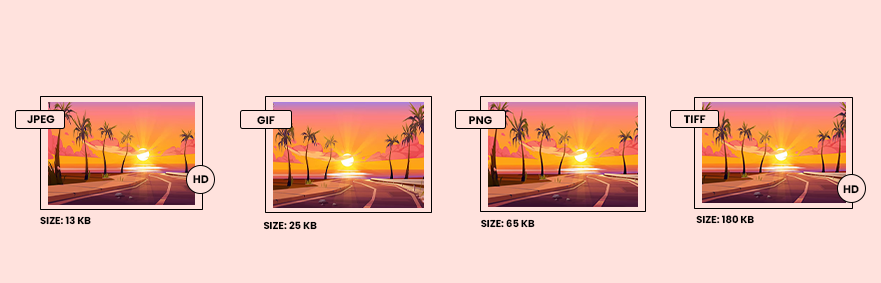
Choosing the right image format is crucial for optimizing file size, quality, and usability. This guide will help you understand the differences between JPEG, PNG, GIF, and TIFF formats so you can make better choices for your projects.
- JPEG (Joint Photographic Experts Group): JPEG is a popular format known for its lossy compression—it reduces file size by discarding some data, making it ideal for photos and web content.
Compression: Lossy
Transparency: Not supported
Best For: Photographs and web use
Advantages: Small file size, widely supported
Drawbacks: Loses quality with each edit or save - PNG (Portable Network Graphics): PNG is a lossless format, meaning it preserves quality. It’s ideal for images with transparent backgrounds, such as logos and icons.
Compression: Lossless
Transparency: Supported
Best For: Web graphics, transparent images
Advantages: High quality, supports transparency
Drawbacks: Larger file sizes than JPEG - GIF (Graphics Interchange Format): GIF is known for simple animations and uses 256 colors, making it suitable for short, looping graphics but not high-quality images.
Compression: Lossless, limited color palette
Transparency: Basic support
Best For: Animations, small web graphics
Advantages: Small size, animation capability
Drawbacks: Limited colors, not ideal for photos - TIFF (Tagged Image File Format): TIFF is preferred in professional environments for high-quality, uncompressed images, particularly for print.
Compression: Lossless
Transparency: Supported in some cases
Best For: Professional photo editing, printing
Advantages: High quality, excellent for print
Drawbacks: Large file sizes, limited web compatibility
Quick Comparison Chart
| Feature | JPEG | PNG | GIF | TIFF |
|---|---|---|---|---|
| Compression | Lossy | Lossless | Lossless | Lossless |
| Transparency | No | Yes | Basic | Yes |
| Animation | No | No | Yes | No |
| Ideal Use | Photos, Web | Web Graphics | Animations |
Choosing the Right Format
- Web Images: Choose JPEG for photos, PNG for graphics with transparency, and GIF for animations.
- Print: TIFF is the best choice due to its high-quality, lossless format.
For further guidance and conversions, visit A2Z Converter and explore our wide range of tools to get the most out of your digital projects!