Download YouTube Videos in Seconds – No Signup Required
In today’s fast-paced digital world, videos have become one of the most popular ways...
Discover our all-in-one file conversion hub. Convert documents, images, audio, and video into the format you need. Fast, secure, and completely free.
Click or drag and drop files to add
All file types supported
Hand-picked tool collections for the way you work
Explore our full toolkit or jump straight in and start converting — fast, private, and completely free. No signup, no limits.
A2Z Converter supports over 200 file formats across documents (PDF, DOCX, TXT), images (JPG, PNG, WEBP, HEIC), video (MP4, MOV, AVI, MKV), audio (MP3, WAV, FLAC), and spreadsheets (XLS, CSV, ODS). All conversions run in your browser with no software download required.
Yes, A2Z Converter is 100% free with no hidden charges, no sign-up, and no file limits for standard use. All 100+ tools, including PDF compression, image conversion, and video downloading, are available at no cost.
Upload your PDF to the PDF to Word tool, wait a few seconds for automatic conversion, then download the editable DOCX file — no account or software needed. Most files convert in under a minute.
Use the PDF Compress tool: upload your file, and A2Z Converter automatically reduces file size while preserving text and image clarity, typically shrinking files by 50–90% depending on content.
Paste the YouTube video URL into the YouTube Video Downloader tool, choose MP4 (video) or MP3 (audio only), and click download — no app or browser extension required.
Yes. A2Z Converter has dedicated downloaders for Instagram Reels/Stories, Facebook videos/Reels, and LinkedIn native videos — just paste the post URL and select a format.
Upload your HEIC file to the HEIC to JPG tool and it converts automatically, producing a standard JPG viewable on any device, including Windows and Android.
Yes. A2Z Converter processes files without permanently storing them — uploaded and converted files are automatically deleted within 24 hours, and no file is shared with third parties.
No. Every tool, including document, image, and video conversion, works instantly without registration, login, or email verification.
Yes, A2Z Converter is fully responsive and works on smartphones, tablets, and desktop browsers without needing a dedicated app.
 Video Downloader
In today’s fast-paced digital world, videos have become one of the most popular ways...
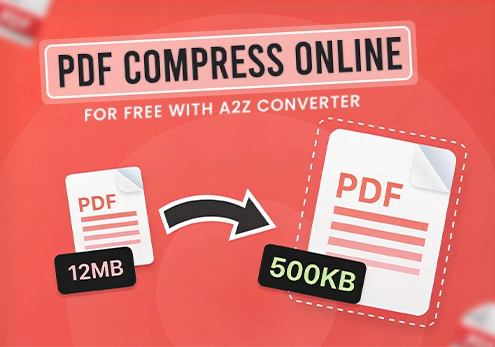 PDF Compression
Managing large PDF files is a daily problem for students, job seekers, and professionals....
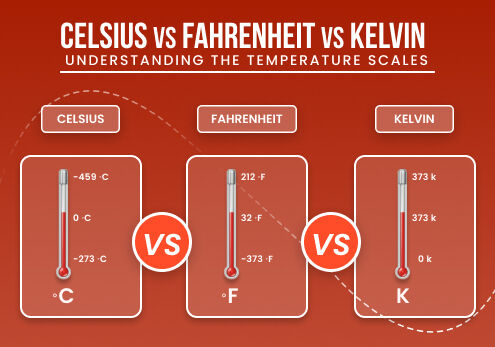 Unit Conversion
Temperature is something we deal with every day — checking the weather, cooking a...