AI Tools
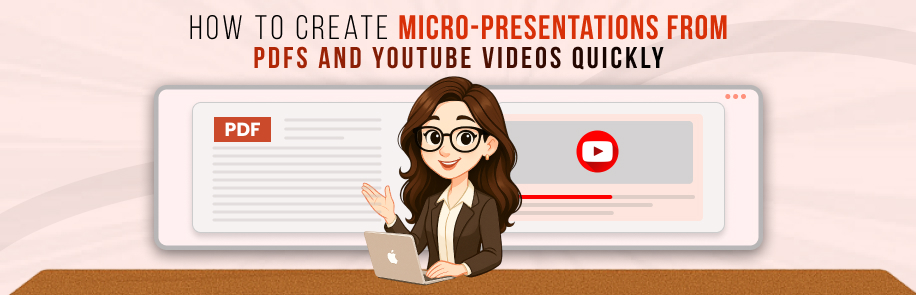
How to Create Micro-Presentations from PDFs and YouTube Videos Quickly
Introduction: Why Micro-Presentations Are Taking Over
In today’s fast-paced digital world, long slide decks and lengthy videos often fail to grab attention. Instead, micro-presentations—short, impactful, and visually engaging presentations—are becoming the preferred format for students, educators, and professionals.
But creating these quick presentations can be a challenge. How do you repurpose an existing PDF, set of slides, or even a YouTube video into something concise and powerful without wasting hours?
The answer lies in using the right online conversion tools that simplify the process.
The Problem: Repurposing Content Quickly
Here’s where most people struggle:
- Students often need to turn large project reports into short classroom presentations.
- Professionals may want to summarize a 50-slide corporate deck into a quick 5-slide pitch.
- Trainers and marketers need to grab highlights from long YouTube videos or reuse existing slides for social media.
Without the right tools, this means copy-pasting, re-designing, and re-formatting everything manually. Time-consuming, repetitive, and frustrating.
The Solution: Free Online Tools for Quick Conversion
This is where tools like PDF to Text, Merge PDF, Image to Text, and YouTube Video Downloader come in. With these, you can extract, merge, reuse, and repurpose content instantly.
Let’s break down how each tool solves a piece of the problem.
1. PDF to Text – Extract Slides into Editable Text
Want to grab the best slides from a long deck? Convert your PDF slides into images and use them as standalone micro-presentations.
- Perfect for creating visual flashcards.
- Share single slides as social media graphics.
- Use in online classes or short updates.
Try it here: PDF to Text Tool
2. Merge PDF – Build a Quick Slide Deck
Instead of sending multiple files or bulky reports, combine only the most important slides or documents into one polished deck.
- Great for pitch meetings.
- Quick way to prepare study materials.
- Saves time compared to editing in PowerPoint.
Try it here: Merge PDF Online
3. Image to Text (OCR) – Reuse Slide Text Easily
Need to copy text from a slide or infographic without retyping? Use OCR (Image to Text).
- Extracts text from presentation screenshots.
- Helps in creating study notes or summaries.
- Perfect for reusing existing content in micro-decks.
Try it here: Image to Text Converter Tool
4. YouTube Video Downloader – Convert Video Content into Presentations
Many presentations today are based on video content. With a YouTube Video Downloader, you can:
- Save a lecture or tutorial for offline use.
- Clip highlights for micro-presentations.
- Reuse short video segments in professional decks.
Try it here: YouTube Video Downloader
5. YouTube Thumbnail Downloader – Grab Visuals for Presentations & Marketing
Sometimes, the thumbnail of a YouTube video is as powerful as the video itself.
- Use them as cover slides in micro-presentations.
- Repurpose for social media campaigns.
- Add branding to your quick decks.
Try it here: YouTube Thumbnail Downloader
Practical Use Cases for Students & Professionals
For Students:
- Convert a research PDF into slides for quick classroom sharing.
- Download a YouTube lecture to extract key visuals.
- Use OCR to turn screenshots into study notes.
For Professionals:
- Merge only essential reports/slides into a micro-deck for meetings.
- Reuse text from old presentations for new pitches.
- Download YouTube content or thumbnails to enhance marketing decks.
Step-by-Step: Creating a Micro-Presentation with A2Z Converter
- Upload your PDF: Convert to images (pick best slides).
- Merge selected slides: Create a new condensed deck.
- Extract text via OCR: Build notes or captions.
- Download supporting YouTube content: Add to your deck.
- Polish & Share: Ready in minutes, not hours.
FAQs (Targeting Long-Tail Keywords)
Q1. How can I convert slides into images online?
Use our PDF to Image tool to extract each slide as a high-quality image instantly.
Q2. What’s the fastest way to merge multiple PDFs into one presentation?
Try our Merge PDF tool to combine only the slides you need.
Q3. Can I extract text from presentation screenshots?
Yes, with OCR (Image to Text) you can copy text directly without typing.
Q4. Is it safe to download YouTube videos for presentations?
Yes, our YouTube Video Downloader is free, secure, and requires no login.
Q5. Can I use YouTube thumbnails in presentations?
Absolutely. Download them via our YouTube Thumbnail Downloader and use them as slide covers or visuals.
Conclusion: Micro-Presentations Made Simple
Micro-presentations are here to stay—whether you’re a student preparing a class report, a professional pitching an idea, or a marketer creating social media snippets. With A2Z Converter’s free online tools, you can convert PDFs, merge slides, extract text, and repurpose YouTube content into powerful micro-presentations—quickly, easily, and without installing software.
Try A2ZConverter Now