Video Conversion
How to Extract Audio from Video for Podcasts or Music
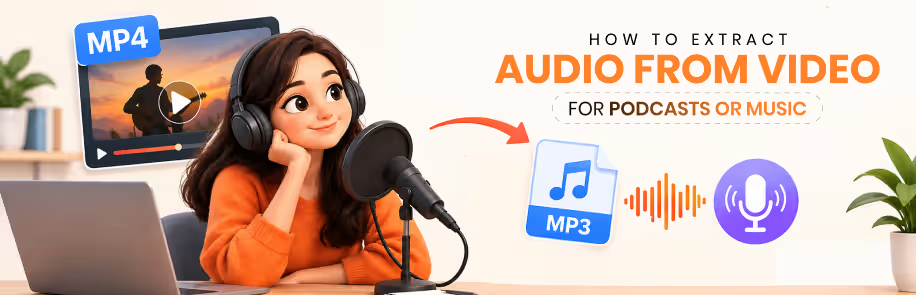
You recorded a video, but all you actually need is the sound. Maybe it's a podcast interview you filmed on Zoom, a voice memo trapped inside a video file, or a song clip you want on your phone without the visuals. Whatever the reason, learning how to extract audio from video is a simple skill that saves time and storage space.
This guide walks through what audio extraction actually does, why MP4 to MP3 conversion is the most common version of this task, and how to do it in a few clicks using a free online tool.
What Does It Mean to Extract Audio from Video
Every video file has two parts, a visual track and an audio track. When you extract audio from video, you're pulling out that audio track and saving it as its own file, usually in MP3 format. The video disappears. Only the sound remains.
This is different from just muting a video or trimming it. You end up with a standalone audio file that plays on any music app, phone, or speaker, without needing a video player.
Why People Convert MP4 to MP3
MP4 is one of the most common video formats, used by phones, cameras, screen recorders, and platforms like YouTube. MP3 is the most widely supported audio format, playable on almost every device made in the last two decades.
People look for MP3 conversion tools for a few practical reasons.
Podcasts recorded on video. Many podcasters film their episodes on Zoom, Riverside, or a phone camera, then only publish the audio. Converting MP4 to MP3 gives them a clean file ready for Spotify, Apple Podcasts, or any hosting platform.
Music from video clips. If you have a song saved as a video file, whether from a concert recording, a downloaded clip, or an old family video with music playing in the background, converting it to MP3 makes it playable in any music library.
Smaller file sizes. Audio files are far smaller than video files. If you only need the sound, converting to MP3 frees up storage on your phone or computer.
Voice memos and lectures. Recorded lectures, meetings, or voice notes saved as video can be converted to audio so they're easier to store, share, or listen to on the go.
How MP4 to MP3 Conversion Works
Technically, converting MP4 to MP3 means the software reads the video file, separates the audio stream, and re-encodes it into MP3 format. Nothing about the sound quality is created or improved in this process, the tool is simply repackaging the existing audio into a new, lighter file.
This is why the source video's original audio quality matters more than the converter itself. A converter can't add clarity that wasn't there to begin with, but a good one will preserve as much of the original quality as possible.
How to Extract Audio from Video Using a2z Converter
You don't need to install any software to do this. a2z Converter lets you upload a video and download the audio in under a minute, right from your browser.
Here's how it works using the MP4 to MP3 tool.
- Upload your MP4 file. Drag and drop the video, or select it from your device.
- Let the tool process it. The converter reads the video, isolates the audio track, and prepares it as an MP3 file.
- Download your MP3. Once conversion is done, save the audio file to your device.
- Delete confidence. Files are removed automatically within 24 hours, so nothing sits on a server longer than it needs to.
No sign up is required, and it works the same whether you're on a laptop, tablet, or phone.
Other Formats You Can Convert to MP3
MP4 isn't the only source format people need to convert. The same MP3 Conversion page supports several others, including WEBM to MP3, MKV to MP3, and AVI to MP3, all handled the same simple way. If you regularly work with different video formats, it's worth bookmarking that page since it covers most of what you'll come across.
Tips for Better Audio Quality After Conversion
A few small habits make a real difference in how the final MP3 sounds.
- Record in a quiet space. Background noise gets carried straight into the audio file, no converter can remove it after the fact.
- Use the highest quality source video you have. Compressed or low resolution videos often have compressed audio too.
- Check your mic placement before recording. Audio quality depends far more on the recording setup than on the conversion step.
- Avoid re-converting the same file multiple times. Each conversion can introduce small quality losses, so start from the original video whenever possible.
Common Questions About Extracting Audio from Video
Does converting MP4 to MP3 reduce sound quality?
Slightly, since MP3 is a compressed format. For most listening, especially podcasts and casual music, the difference isn't noticeable.
Is it legal to extract audio from any video?
You can extract audio from your own recordings freely. For copyrighted content like music or films, check that you have permission or rights to use the audio before extracting it.
Can I extract audio from a video on my phone?
Yes. Since a2z Converter works in the browser, you can upload and convert files directly from a phone without installing an app.
What's the difference between MP3 and other audio formats like WAV?
MP3 files are compressed and much smaller, making them easier to share and store. WAV files are uncompressed and larger, typically used for professional audio editing.
Final Thoughts
Extracting audio from a video is one of those tasks that sounds technical but takes less than a minute once you have the right tool. Whether you're pulling a podcast episode from a Zoom recording or saving a song clip from a video file, converting MP4 to MP3 gives you a lighter, more usable file that works everywhere.
If you have a video sitting around that you only need for the sound, try the MP4 to MP3 converter on a2z Converter, or explore the full range of options on the MP3 Conversion page.
Try Our Converter Tool Now!