PDF Merging
How to Merge PDF Files for Free on Windows, Mac, iPhone and Online
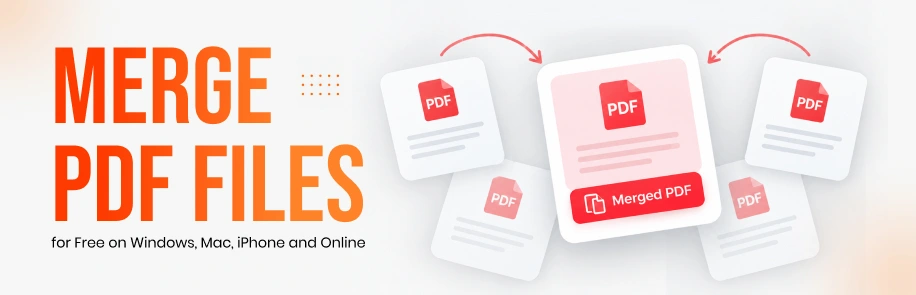
To merge PDF files for free, open a free online tool such as A2Z Converter's Merge PDF, add your files, drag them into the right order and download one combined PDF. On a Mac you can also use Preview, and on iPhone you can select files in the Files app and tap Create PDF.
A2Z Converter is a free online file converter for images, PDFs and documents. This guide shows every free way to combine PDFs on the device you're using right now, which method fits which job, and how to fix the three problems people hit most: pages in the wrong order, a merged file that's too big, and a PDF that refuses to merge.
How do you merge PDF files for free?
The fastest free method that works on any device is an online merger. It runs in your web browser, so there's nothing to install and it works the same on Windows, Mac, Chromebook, iPhone and Android.
- Go to A2Z Converter's merge PDF files online tool.
- Upload two or more PDFs by dragging them onto the page or clicking to choose them.
- Drag the files into the order you want them to appear in the final document.
- Click Merge, then download your single combined PDF.
You don't need an account to use it. If you'd rather not upload anything, the built-in methods for Mac and iPhone below keep your files on your device.
How do you combine PDFs on Windows 10 or 11?
Windows 10 and 11 don't have a built-in way to merge PDFs. Microsoft Edge can open, highlight and sign a PDF, but it can't combine two files into one, and "Microsoft Print to PDF" only prints one document at a time. That leaves two free options on a Windows PC: Use an online merger (no install). Open A2Z Converter's Merge PDF tool in Edge or Chrome and follow the four steps above. This is the quickest choice for a one-off job. Install a free desktop PDF app. Worth it only if you merge files every day or can't upload the documents.
How do you merge PDFs on a Mac with Preview?
Every Mac includes Preview, which can merge PDFs for free without uploading anything.
- Open the first PDF in Preview.
- Choose View > Thumbnails to show the page sidebar.
- Drag the second PDF from Finder into the sidebar, dropping it where you want its pages to go. To add only some pages, open both files and drag thumbnails from one sidebar to the other.
- Choose File > Export as PDF and give the combined file a new name, so your original stays untouched.
Preview is great for two or three files. For ten or more, an online tool is faster because you can add them all at once and sort them in one list.
How do you combine PDFs on iPhone or iPad?
The Files app on iPhone and iPad can create one PDF from several files.
- Open Files and go to the folder that holds your PDFs.
- Tap the More button (three dots), then Select.
- Tap each PDF you want to combine.
- Tap More at the bottom right, then Create PDF.
How do you merge PDFs on Android?
Android has no built-in PDF merge feature, and Google Drive can't combine PDFs either. The simplest free method is to open the Merge PDF tool in Chrome, tap to upload your PDFs from Downloads or Drive, put them in order and download the result. It works the same way on a Chromebook.
Which free PDF merge method should you use?
Use an online merger when you're on Windows, Android or a Chromebook, or have many files; use Preview or the Files app when you'd rather keep files on your Apple device.
| Method | Device | Cost | Sign-in needed | File limit | Watermark | Best for |
|---|---|---|---|---|---|---|
| A2Z Converter Merge PDF | Any browser | Free | No | [check on publish day] | [confirm none] | Quick merges on any device, many files at once |
| Preview | Mac | Free, built in | No | No set limit | None | 2–3 files, picking single pages, offline |
| Files app, Create PDF | iPhone, iPad | Free, built in | No | No set limit | None | Combining files already on your phone |
| Adobe Acrobat online | Any browser | Free tier | [check] | [check] | [check] | People who already use Adobe |
| Free desktop PDF app | Windows, Mac | Free or paid | Varies | Varies | Some free apps add one | Daily merging, files you can't upload |
How do you put pages in the right order before merging?
Name your files in the order you want them before you start, because most tools and the iPhone Files app list files alphabetically.
- Number the file names. Rename them 01-cover.pdf, 02-letter.pdf, 03-receipts.pdf. Use two digits (01, not 1) so file 10 doesn't jump ahead of file 2.
- Check the order in the upload list. Before you click Merge, read the list top to bottom. It's faster to drag a file now than to fix pages later.
- Fix single pages after merging. If one page lands in the wrong spot, open the merged PDF in Preview (Mac) and drag that page's thumbnail to the right place, or merge again with the corrected file order.
Why is my merged PDF so big, and how do I shrink it?
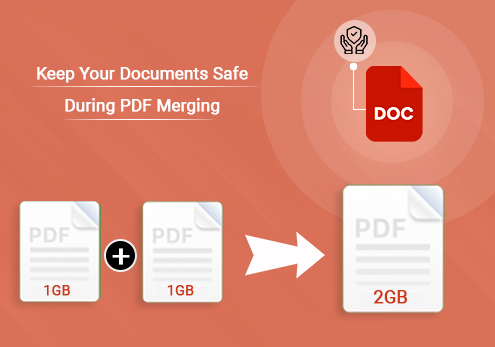
A merged PDF is roughly the size of all its files added together, so three 4 MB scans make a file of about 12 MB. That's often too big for email (Gmail's attachment limit is 25 MB) or upload portals that cap files at 5 or 10 MB. In our test, merging [X] PDFs with [Y] pages produced a [Z] MB file. After running it through A2Z Converter's PDF compressor, it dropped to [W] MB with text still sharp. [Add your real numbers and a before/after screenshot.] Scanned pages and photos are what make PDFs heavy. If you're scanning paper, scan at 200–300 DPI in grayscale instead of full color to keep files small from the start.
Is it safe to merge PDFs online?
Merging online is safe for everyday files like school forms, flyers, invoices and reports, as long as you use a tool you trust over a secure (https) connection. A2Z Converter needs no registration, so you don't hand over an email address to merge files. For tax returns, medical records or anything with your Social Security number, use a method that keeps files on your device: Preview on a Mac or the Files app on iPhone.
Frequently asked questions
Can I merge PDFs without Adobe Acrobat?
Yes. You can merge PDFs for free without Acrobat using a browser tool like A2Z Converter's Merge PDF, Preview on a Mac, or the Files app on iPhone and iPad. None of these need a paid subscription.
Is there a free way to combine PDFs with no watermark?
Yes. Preview on Mac and the Files app on iPhone never add a watermark, and A2Z Converter's merger doesn't either . Some free desktop apps A2Z Converter · How to Merge PDF Files for Free · 4/9 stamp their logo on pages unless you upgrade, so check one merged page before sending the file.
How do I merge PDF files on Windows 11 without software?
Open a free online merger in Edge or Chrome, upload your PDFs, drag them into order and click Merge. Windows 11 has no built-in merge feature, so a browser tool is the only option that needs no installation.
Can I merge a PDF with a JPG or Word file?
Convert the other file to PDF first, then merge. In Word, use File > Save As and choose PDF. On iPhone, the Files app's Create PDF option can combine photos and PDFs in one step.
How many PDFs can I merge at once?
Preview and the iPhone Files app have no set limit, though very large files can slow them down. Online tools set their own limits on file count and size, so check the tool's page before uploading a big batch.
Why won't my password-protected PDF merge?
Most tools can't merge a PDF that's locked with an open password or restricted from editing. If it's your file, open it with the password, save or print a copy without protection, then merge that copy.