WEBP Conversion
The Role of WebP Images in 2025: A Smart Choice for Web Developers?
As the web evolves, developers are constantly seeking innovative ways to optimize websites for speed and performance. In 2025, WebP has firmly established itself as a superior image format, offering smaller file sizes and higher quality. This blog will delve into the role of WebP images in modern web development, highlight practical benefits, and show how tools like PNG to WebP converters can make the transition seamless. If you're wondering whether WebP is the right choice for your projects, keep reading to discover why it’s a game-changer.
What Is WebP?
Developed by Google, WebP is a modern image format designed for web use. It provides superior compression for both lossy and lossless images, maintaining quality while significantly reducing file sizes.
Key Features of WebP:
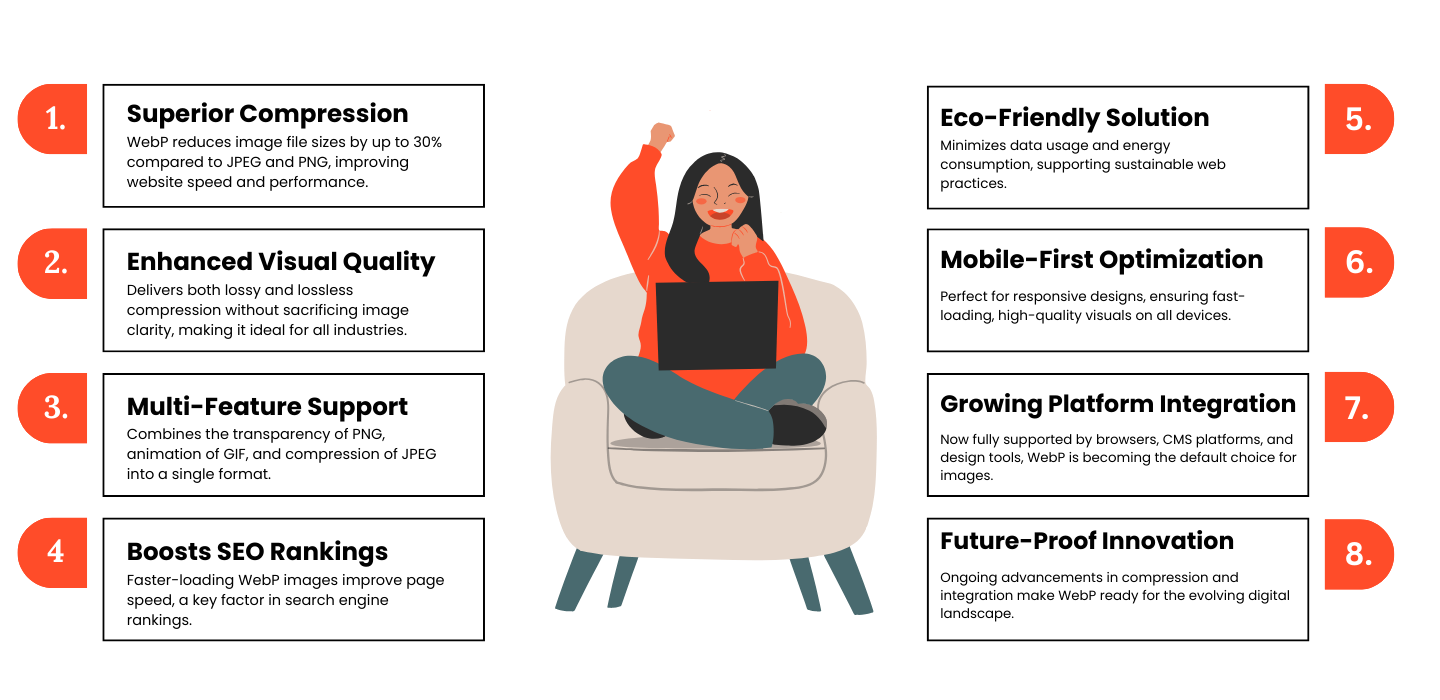
- Smaller File Sizes: WebP files are up to 34% smaller than comparable JPEGs and PNGs.
- Supports Transparency: Like PNG, WebP supports alpha transparency, making it ideal for graphics with transparent backgrounds.
- Animation Support: WebP can replace formats like GIF with better quality and smaller sizes.
- Wide Browser Compatibility: As of 2025, WebP is supported by all major browsers, including Chrome, Firefox, Safari, and Edge.
Why WebP Is Crucial in 2025
1. Faster Website Loading Times
WebP’s smaller file sizes help websites load faster, enhancing user experience and reducing bounce rates.
2. Improved SEO Rankings
Search engines prioritize fast-loading websites. By using WebP images, developers can boost their SEO performance.
3. Reduced Bandwidth Costs
Smaller image sizes mean less data is transferred, saving bandwidth costs for high-traffic websites.
4. Enhanced Mobile Experience
With the rise of mobile-first indexing, WebP ensures faster loading times on mobile devices, improving accessibility for users on slower networks.
How to Convert PNG to WebP
Transitioning from PNG to WebP is simple with modern tools and converters. Here are some easy methods to convert PNG files into WebP format:
1. Online PNG to WebP Converters
Online tools like A2ZConverter make it effortless to convert images without installing software.
Steps to Convert PNG to WebP Online Free:
- Visit a reliable PNG to WebP converter, such as A2ZConverter.
- Upload your PNG file.
- Select WebP as the output format.
- Click Convert and download your WebP file.
2. PNG to WebP Compressor Tools
Compressor tools are ideal for optimizing image size while converting PNG to WebP.
Tips for Using PNG to WebP Compressors:
- Adjust compression levels to balance size and quality.
- Test the resulting images on different devices to ensure compatibility.
3. Software Solutions
For advanced users, software like Adobe Photoshop or command-line tools like Google’s WebP utilities can be used to convert images.
Using Google’s WebP Utilities:
- Download the WebP utilities from Google’s official repository.
- Use the command cwebp input.png -o output.webp to convert PNG to WebP.
Practical Tips for Using WebP in Web Development
1. Implement Responsive Images
Use WebP alongside responsive image tags ( or with srcset) to deliver the optimal version for each device.
2. Offer Fallbacks for Legacy Browsers
Although WebP has widespread support, older browsers may still require fallback formats like PNG or JPEG.
3. Batch Convert PNG to WebP
Save time by batch-converting images using tools like A2ZConverter or automated scripts.
Trends in WebP Adoption
E-Commerce and WebP
- E-commerce sites leverage WebP to display high-quality product images without sacrificing loading speed.
WebP in CMS Platforms
- Content management systems like WordPress now offer native WebP support, simplifying implementation.
Environmental Benefits
- Smaller file sizes mean reduced server load and energy consumption, contributing to greener web practices.
FAQs About WebP and PNG to WebP Conversion
1. Can I Convert PNG to WebP for Free?
Yes! Many online tools, like A2ZConverter, offer free PNG to WebP conversion options.
2. Does Converting PNG to WebP Reduce Quality?
WebP offers lossless and lossy compression options. You can choose settings that maintain quality while reducing size.
3. Is WebP Better Than PNG?
For most web applications, WebP is better due to its smaller size and comparable quality. However, PNG may still be preferable for specific use cases like print designs.
Why Choose A2ZConverter for PNG to WebP Conversion?
A2ZConverter is a trusted tool for converting PNG to WebP online. Here’s why developers love it:
- User-Friendly Interface: Convert images with just a few clicks.
- High-Quality Results: Ensures minimal loss of quality during conversion.
- Batch Processing: Save time by converting multiple images simultaneously.
- Free Options Available: Convert PNG to WebP online free for smaller projects.
By using A2ZConverter, you can streamline your workflow and enjoy seamless PNG to WebP conversions.
Ready to optimize your website with WebP images? Start converting PNG to WebP today with A2ZConverter. Visit A2ZConverter for free, high-quality conversions and take your web development projects to the next level.