SVG Conversion
What is the Most Effective Method for Converting a PNG or Other Raster Graphic into an SVG?
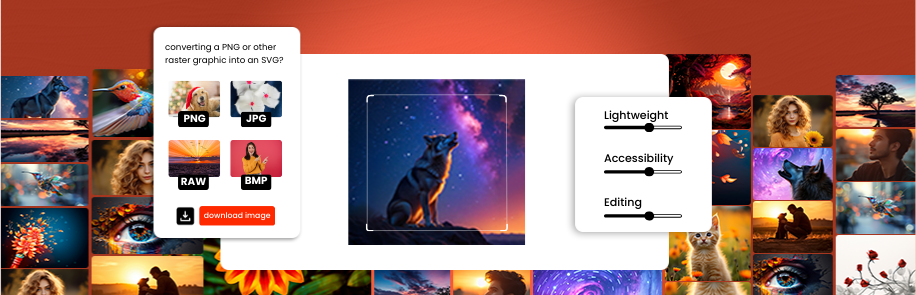
Converting raster images like PNGs into vector formats like SVG can be essential for maintaining quality and scalability across various platforms. Unlike PNGs, which lose clarity when resized, SVGs remain crisp at any size. This guide will explore the best practices for converting a PNG to SVG, covering software recommendations, online tools, and manual techniques.
Why Convert PNG to SVG?
SVG (Scalable Vector Graphics) is preferred for many web and design projects due to its scalability, smaller file size, and resolution independence. Converting a PNG or other raster image to an SVG offers several advantages:
- Scalability: SVGs are resolution-independent, making them ideal for responsive designs.
- File Size: SVGs are often smaller than PNGs, especially with simple graphics, which can improve website load speeds.
- Editability: SVGs can be modified directly using code, making it easy to adjust colors, sizes, or elements.
Best Methods for Converting PNG to SVG
Consistency and quality are key to standing out:
- Using Vector Conversion Software: Professional vector graphics software, like Adobe Illustrator, CorelDRAW, or Inkscape, offer robust tools for converting raster images to vector formats.
Adobe Illustrator: Illustrator’s “Image Trace” feature allows for highly customizable PNG to SVG conversions, with options for line art, colors, and levels of detail.
Inkscape: This free, open-source tool includes a “Trace Bitmap” feature to create an SVG from a PNG.
Steps in Adobe Illustrator:
1. Open your PNG in Adobe Illustrator.
2. Select the image, go to Window > Image Trace.
3. Choose a preset that suits your needs, adjust the settings, and click Expand.
4. Save as an SVG file.
Advantages:
1. Advanced customization options.
2. High-quality SVG output, ideal for detailed designs. - Online PNG to SVG Converters: Online tools are convenient for quick conversions, especially when complex design tools are not necessary. These tools allow you to upload a PNG and generate an SVG in seconds.
Popular Tools:
A2Z Converter: Provides high-quality, easy PNG to SVG conversions with adjustable parameters.
Vectorizer.io: Allows for customizable vectorization settings to control detail and color levels. Online-Convert: Supports batch conversion and multiple file formats.
Advantages:
1. Fast and easy-to-use, with no software required.
2. Good for simple PNGs with basic shapes and colors. - Manual Tracing with Graphic Software: Manual tracing involves hand-drawing vector paths over your raster image. This method provides the most precise control over the final SVG, although it is time-intensive.
Best for:
1. Complex designs requiring specific detailing.
2. Users comfortable with design software, such as Adobe Illustrator or Inkscape.
Steps:
1. Import your PNG into your software of choice.
2. Use the Pen Tool to manually trace outlines and fill areas.
3. Once traced, save your file as an SVG.
Advantages:
Full control over the design, allowing for precision and customization.
Comparison of Methods
| Method | Vector Software (Adobe) | Online Converters (A2Z) | Manual Tracing |
|---|---|---|---|
| Skill Level | Intermediate-Advanced | Beginner | Advanced |
| Quality of Output | High | Medium to High | Very High |
| Time Investment | Moderate | Low | High |
| Ideal Use Cases | Detailed or professional graphics | Quick, simple conversions | Complex, detailed designs |
Practical Tips for a Successful Conversion
- Optimize the PNG First: Simplify the image by reducing colors or removing unnecessary elements.
- Choose the Right Tool: For intricate designs, use software like Illustrator; for basic conversions, an online tool suffices.
- Adjust Tolerance Levels: When using tracing tools, adjusting tolerance and detail settings can impact the quality and file size.
- Test Different Settings: Many tools offer preset styles like black and white, color, or sketch modes. Experiment to achieve the best results.
Start Converting Your Images
SVGs can transform your project, offering unmatched scalability and performance. Whether you're a designer or a web developer, converting PNGs to SVGs will help improve your workflow and result in high-quality graphics.
Ready to convert your images?Try our PNG to SVG conversion tool at A2Z Converter. and see the difference it makes in your projects!