Comparison
Dropbox vs. Google Drive: Which Online Storage Option is Right for You?
In today’s digital era, online storage solutions are vital for managing personal and professional files efficiently. Two of the most popular options, Dropbox and Google Drive, offer excellent features tailored to diverse needs. But how do they stack up against each other, and which one suits you best? This guide dives deep into the pros and cons of each platform to help you make an informed choice.
Key Features and Benefits of Dropbox
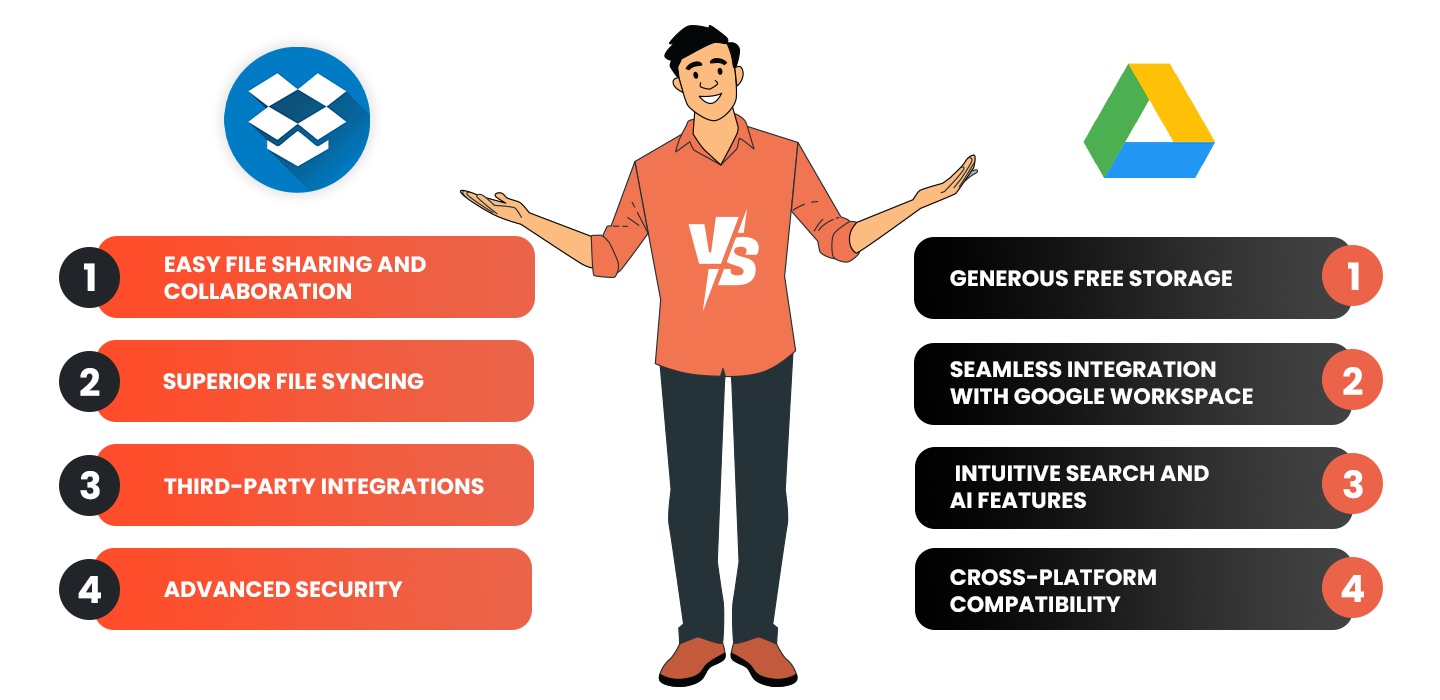
1. Easy File Sharing and Collaboration
- Dropbox offers seamless file sharing with a simple link-sharing feature.
- Team collaboration tools like Dropbox Paper allow multiple users to edit and comment in real-time.
2. Superior File Syncing
- Dropbox is renowned for its fast and reliable syncing capabilities.
- It uses block-level file transfer, which updates only the modified parts of a file, saving time and bandwidth.
3. Third-Party Integrations
- Compatible with tools like Slack, Zoom, and Adobe Creative Cloud, making it a favorite among professionals.
4. Advanced Security
- Includes 256-bit AES encryption, two-factor authentication, and remote wipe for stolen devices.
5. Pricing Plans
- Basic plan (free): 2 GB of storage.
- Paid plans: Start at $9.99/month for 2 TB.
Key Features and Benefits of Google Drive
1. Generous Free Storage
- Offers 15 GB of free storage shared across Google Drive, Gmail, and Google Photos.
2. Seamless Integration with Google Workspace
- Works effortlessly with Google Docs, Sheets, and Slides.
- Ideal for individuals and teams already using Google Workspace.
3. Intuitive Search and AI Features
- Powered by Google’s AI, it provides advanced search capabilities and file suggestions.
4. Cross-Platform Compatibility
- Accessible via web, Android, iOS, and desktop apps, ensuring smooth access to files anytime, anywhere.
5. Pricing Plans
- Basic plan (free): 15 GB of storage.
- Paid plans: Google One starts at $1.99/month for 100 GB.
Dropbox vs. Google Drive: A Feature Comparison
| Feature | Dropbox | Google Drive |
|---|---|---|
| Free Storage | 2 GB | 15 GB |
| File Sharing | Robust link sharing | Integrated with Google services |
| Security | AES-256 encryption, remote wipe | AES-128 encryption |
| Collaboration Tools | Dropbox Paper, Slack integration | Google Docs, Sheets, Slides |
| Pricing Flexibility | Starts at $9.99/month (2 TB) | Starts at $1.99/month (100 GB) |
Choosing the Right Option for Your Needs
When to Choose Dropbox
- You need powerful syncing for large files.
- Security and third-party integrations are your priority.
- You work with creative software like Adobe or Slack.
When to Choose Google Drive
- You prefer a larger free storage tier.
- Collaboration using Google Docs and Sheets is essential.
- You already use Google Workspace or have a Gmail account.
Practical Tips for Maximizing Your Online Storage
1. Organize Your Files
- Create a logical folder structure to save time when searching for files.
2. Optimize Storage
- Use compression tools for large files and delete unused items regularly.
3. Utilize Sharing Features Wisely
- Share files with restricted permissions to enhance security.
4. Leverage Collaboration Tools
- Make the most of Google Docs or Dropbox Paper to streamline teamwork.
Current Trends in Online Storage
- AI Integration: Google Drive leads with smart file suggestions and advanced search features.
- Focus on Security: Dropbox emphasizes top-notch security measures for businesses.
- Hybrid Work Solutions: Both platforms are enhancing collaboration features to support remote teams.
Both Dropbox and Google Drive are excellent choices, but your decision ultimately depends on your specific needs. For creative professionals or those needing robust syncing, Dropbox stands out. On the other hand, Google Drive is ideal for users deeply embedded in the Google ecosystem. Ready to optimize your workflow? Explore tools and solutions to streamline your file management at A2Z Converter.