PDF Conversion
Is My Document Secure When Using Online PDF-to-Word Converters?
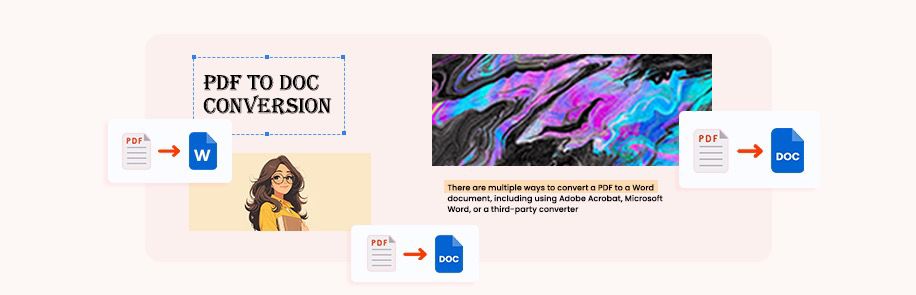
In today's digital age, converting files like PDFs to Word documents has become a common task. However, one of the biggest concerns users face is security. Are your documents safe when using online PDF-to-Word converters? This blog post will explore the security measures, potential risks, and practical tips to ensure your files remain secure while using online tools. By the end, you'll know how to choose a trustworthy converter like A2ZConverter and safeguard your sensitive data.
How Do Online PDF-to-Word Converters Work?
Online PDF-to-Word converters are web-based tools that allow users to transform their PDF files into editable Word documents. Here's a simple breakdown of how they typically work:
- Upload: Users upload their PDF files to the converter.
- Processing: The tool extracts text, images, and formatting from the PDF and converts it into an editable Word format.
- Download: The converted file is available for download, often within seconds.
While these tools are convenient, the process involves uploading sensitive documents to a server, raising concerns about data security.
Are Online PDF-to-Word Converters Secure?
1. Encryption
Reputable converters employ advanced encryption protocols like SSL/TLS to secure the connection between your device and their servers. This ensures your files are protected from unauthorized access during the upload and download process.
2. File Deletion Policies
Many trustworthy tools promise to delete your uploaded and converted files from their servers within a specific timeframe, often 24 hours. This minimizes the risk of data misuse.
3. Data Privacy Compliance
Reliable converters adhere to international privacy standards such as GDPR (General Data Protection Regulation) or CCPA (California Consumer Privacy Act). These regulations ensure user data is handled responsibly.
4. No Human Access
Most converters process files using automated systems, meaning no humans can view or interact with your documents.
Potential Risks to Be Aware Of
Despite the security measures, there are potential risks:
- Unsecured Platforms: Using converters without HTTPS can expose your files to cyber threats.
- Prolonged File Retention: Tools that retain files on their servers for extended periods increase the risk of unauthorized access.
- Unknown Ownership: Platforms with vague privacy policies may misuse your data for advertising or other purposes.
How to Choose a Secure Online PDF-to-Word Converter
To ensure the safety of your documents, follow these tips:
1. Check for HTTPS
Always ensure the website uses HTTPS, indicating a secure connection. The URL should start with https://.
2. Review the Privacy Policy
A clear and transparent privacy policy is a strong indicator of a trustworthy service. Look for details on file deletion timelines and data handling practices.
3. Look for Encryption
Opt for tools that explicitly mention encryption protocols like SSL or TLS for secure data transmission.
4. Verify File Deletion Policies
Choose platforms that guarantee automatic deletion of files within a short timeframe after conversion.
5. Read Reviews and Ratings
User reviews on platforms like Trustpilot or App stores can offer insights into the reliability and security of the tool.
6. Use Reputable Tools
Stick to well-known converters like A2ZConverter, which prioritize security and user privacy.
Best Practices for Securing Your Documents
Even when using a trusted platform, take these additional steps to ensure document security:
- Remove Sensitive Information: Avoid uploading files containing highly sensitive data like financial details or personal identification.
- Use Password-Protected PDFs: If your PDF contains sensitive information, encrypt it with a password before uploading.
- Offline Tools: For highly confidential documents, consider using offline PDF-to-Word converters to eliminate server-related risks.
- Temporary Email Accounts: Use temporary email accounts if the tool requires an email address for file delivery.
- VPN Connection: Access online converters through a VPN to add an extra layer of security.
Emerging Trends in Online File Conversion Security
- End-to-End Encryption: More platforms are adopting end-to-end encryption to protect files from the moment they're uploaded until they're deleted.
- Blockchain Technology: Innovative converters are exploring blockchain for transparent and secure file handling.
- AI-Powered Privacy: AI-driven algorithms ensure files are processed efficiently without compromising security.
Why Choose A2ZConverter for Secure PDF-to-Word Conversion?
When it comes to security and reliability, A2ZConverter stands out. Here's why:
- Top-Notch Encryption: Ensures all files are transmitted securely.
- Automatic Deletion: Files are automatically deleted from the server within hours of conversion.
- No Data Sharing: Complies with GDPR and other data privacy regulations to protect your information.
- User-Friendly Interface: Simplifies the process for beginners and professionals alike.
With A2ZConverter, you can confidently convert your files without worrying about security risks.
Online PDF-to-Word Converters
1. Are Free Online Converters Safe?
Many free tools are safe, but always check for HTTPS, file deletion policies, and a transparent privacy policy.
2. Can My Files Be Hacked?
If the platform uses strong encryption and deletes files promptly, the risk is minimal.
3. Should I Use Offline Converters Instead?
For highly sensitive files, offline tools are a safer option. However, trusted online converters like A2ZConverter offer robust security measures.
Online PDF-to-Word converters are a convenient way to handle file conversions, but security should always be a priority. By choosing reputable tools like A2ZConverter and following best practices, you can ensure your documents remain secure throughout the process.
Ready to experience secure and efficient PDF-to-Word conversions? Visit A2ZConverter today and transform your documents with peace of mind!;