PDF Conversion
Master PDF Management: Merge, Compress & Convert PDFs in Minutes
Introduction: Why PDF Management Matters?
Managing PDFs shouldn’t take hours. Whether you are a student juggling assignments, a professional preparing reports, or a business owner dealing with invoices, you often need a quick way to merge, compress, or convert files. Large file sizes, multiple PDFs, and the need for editable formats are everyday struggles.
That’s where a reliable PDF management tool comes in. With A2Z Converter, you can merge, compress, and convert PDFs in just a few clicks—free, secure, and without sign-up.
Why PDF Management Matters in Everyday Work
PDFs are the standard for sharing and preserving documents. They keep formatting intact and work across devices, which makes them ideal for both personal and professional use. But with their benefits come challenges:
- Large file sizes: PDFs with high-resolution images can be too heavy for email or online forms.
- Multiple documents: Students and professionals often need to combine several PDFs into one.
- Editing needs: Sometimes, you need to turn a PDF into a Word file or text for easy editing.
Examples:
- Students need to submit projects in one PDF file or convert a PDF back to Word for corrections.
- Job seekers must compress resumes and certificates before uploading to portals.
- Businesses regularly merge invoices and reduce storage size with PDF compression.
Meet A2Z Converter – Your Free PDF Management Tool
A2Z Converter is designed to simplify PDF handling for everyone. It’s a free online PDF management tool that works directly in your browser—no downloads, no account required.
- PDF Merge Online: Combine multiple files into one PDF in seconds.
- Online PDF Compress: Shrink file size without losing quality.
- File Conversion Tools: Convert PDFs and text files effortlessly (PDF to TXT, PDF to DOC, PDF to DOCX, TXT to DOC, TXT to PDF).
- Privacy Protected: No limits, no hidden charges, and secure file handling.
What You Can Do in Minutes with A2Z Converter
Merge PDFs Online
Instead of juggling multiple files, merge them into a single document.
- Students can combine lecture notes or assignments.
- Professionals can join presentations and project reports.
- Businesses can organize contracts and invoices.
Compress PDFs Online
Large files often cause upload errors or slow sharing. The online PDF compressor reduces file size while maintaining quality.
- Upload job applications without errors.
- Email reports without hitting attachment limits.
- Save storage space on your computer or cloud.
Convert Files Easily
- PDF to TXT: Extract plain text for editing, note-taking, or reuse.
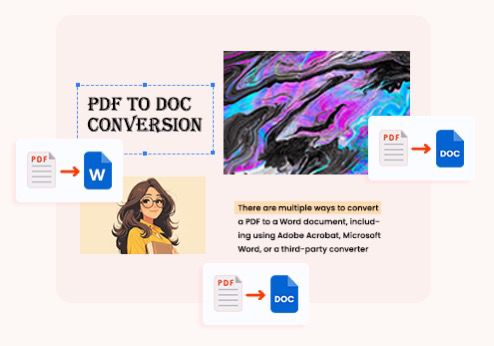
- PDF to DOC/DOCX: Convert PDFs into editable Word documents with preserved formatting.
- TXT to DOC: Turn plain notes into professional Word files.
- TXT to PDF: Secure drafts by converting them into polished PDFs.
Why Choose A2Z Converter Over Other Tools?
Most free PDF tools come with restrictions—limited conversions, forced sign-ups, ads, or privacy risks.
A2Z Converter is different:

100% Free Tool

No registration required

Secure file handling

Works on desktop, tablet, and mobile
Step-by-Step Guide: How to Manage PDFs Online
- Visit A2Z Converter
- Select the tool you need: merge, compress, or convert.
- Upload your file(s).
- Get your processed file in seconds and download instantly.
Who Benefits from A2Z Converter?
- Students: Merge notes, compress assignments, convert documents.
- Professionals: Compress large reports, edit PDFs via Word conversion.
- Businesses: Merge contracts, compress invoices, streamline workflows.
- Job Seekers: Resize resumes and certificates before uploading.
FAQs on PDF Management Tools
1. What is the best free PDF management tool online?
A2Z Converter lets you merge, compress, and convert files instantly without registration.
2. How to merge PDF files online?
Upload your files to A2Z Converter’s PDF Merge Online tool, arrange them, and download one combined PDF.
3. How can I compress a PDF without losing quality?
Use A2Z Converter’s online PDF compressor to reduce size while keeping images and text sharp.
4. Can I convert PDF to Word or TXT for free?
Yes. A2Z Converter supports PDF to DOC, DOCX, and TXT conversions with high accuracy.
5. Is A2Z Converter safe to use?
Yes. All files are processed securely, and nothing is stored on the server.
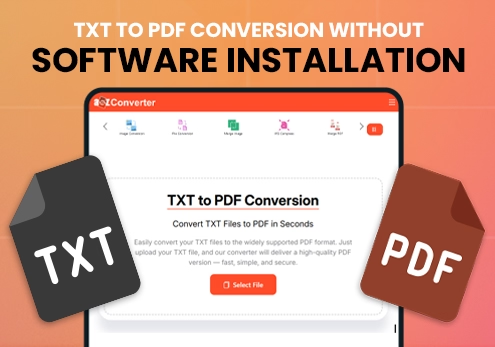
6. Do I need to install software to use A2Z Converter?
No. It works directly in your browser—no installation needed.
7. Can I convert TXT files to PDF or Word online?
Yes. TXT to DOC and TXT to PDF tools are available for free.
8. Does A2Z Converter work on mobile?
Yes. It’s mobile-friendly and works on any device with internet access.
9. How fast is PDF conversion with A2Z Converter?
Most tasks finish in seconds, even for large files.
10. Are there hidden charges?
No. All tools on A2Z Converter are completely free.
Final Thoughts – Master PDFs with A2Z Converter
PDF management doesn’t have to be complicated. With A2Z Converter, you can merge, compress, and convert PDFs in minutes—free, secure, and hassle-free.
Stop wasting time on limited tools or expensive software.